
Anúncios
Streaming entertainment has revolutionized how we consume content, and Amazon Fire TV stands as one of the most versatile platforms for accessing your favorite series and shows.
Whether you’re binge-watching the latest thriller or catching up on beloved classics, having the right application transforms your viewing experience entirely. The Amazon Fire TV app offers seamless control over your streaming device, turning your smartphone into a powerful remote with added functionality.
Anúncios
This comprehensive guide explores everything you need to know about using the Amazon Fire TV application for watching series. From setup to advanced features, we’ll cover how this tool enhances your entertainment ecosystem and makes content discovery effortless.
📱 What Makes the Amazon Fire TV App Essential for Series Lovers
The Amazon Fire TV application serves as your central hub for managing streaming content across multiple platforms. Unlike traditional remotes, this mobile solution provides voice control, keyboard input, and quick access to your favorite streaming services—all from the convenience of your smartphone.
Anúncios
Modern viewers demand flexibility in how they access entertainment. The app delivers precisely that by bridging the gap between your mobile device and television screen. You can browse content libraries, launch apps, and control playback without juggling multiple remotes or navigating clunky on-screen keyboards.
What truly sets this application apart is its integration with Amazon’s ecosystem. Prime Video subscribers gain enhanced navigation features, personalized recommendations, and the ability to add content to watchlists directly from their phones. This seamless connectivity creates a cohesive viewing environment where discovering your next series obsession becomes intuitive.

🔧 Setting Up Your Amazon Fire TV Application
Getting started with the Amazon Fire TV app requires just a few straightforward steps. First, ensure your Fire TV device and smartphone connect to the same Wi-Fi network—this establishes the communication bridge between both devices.
After downloading the application from your device’s app store, launch it and sign in with your Amazon account credentials. The app automatically scans for nearby Fire TV devices on your network. Select your device from the list, and a four-digit code appears on your television screen. Enter this code in the mobile app to complete pairing.
The entire setup process typically takes less than two minutes. Once connected, your smartphone transforms into a multifunctional controller with capabilities far exceeding traditional remotes. The interface adapts to your viewing habits, learning which apps and series you access most frequently.
Troubleshooting Connection Issues
Occasionally, users encounter connectivity challenges during initial setup. The most common issue involves devices being on different Wi-Fi networks—particularly problematic in homes with multiple routers or guest networks. Verify both devices share the same network before attempting to pair again.
Firewall settings on some routers may block device discovery. Temporarily disabling advanced security features often resolves this obstacle. After successful pairing, you can safely re-enable these protections without disrupting the connection.
Older Fire TV models may require firmware updates before supporting the latest app version. Navigate to Settings > My Fire TV > About > Check for Updates on your streaming device to ensure compatibility.
🎬 Navigating Series Content Through the App
The Amazon Fire TV application excels at content discovery, presenting series recommendations tailored to your viewing preferences. The home screen displays recently watched shows, making it effortless to resume episodes exactly where you left off.
Voice search functionality revolutionizes how you find series. Simply speak the show title, actor name, or even genre into your smartphone, and the app queries all installed streaming services simultaneously. This cross-platform search eliminates the frustration of hunting through individual apps for specific content.
The app’s keyboard feature addresses one of streaming’s most tedious tasks—text entry. Rather than navigating an on-screen keyboard with directional buttons, type login credentials, search queries, or account information directly from your smartphone. This seemingly simple feature saves considerable time and frustration.
Creating Personalized Watchlists
Managing what to watch next becomes simple with integrated watchlist functionality. As you browse series descriptions within the app, tap the “Add to Watchlist” option to bookmark shows for later viewing. This curated list syncs across all your Amazon devices, ensuring recommendations remain accessible whether you’re using Fire TV, Prime Video’s website, or mobile apps.
Watchlists prove particularly valuable for keeping track of series recommendations from friends or articles. Instead of relying on memory, add interesting titles immediately as you discover them. The app sends notifications when new seasons of watchlisted series become available, keeping you updated on your anticipated releases.
🎮 Advanced Remote Control Features
Beyond basic playback controls, the Amazon Fire TV app includes sophisticated navigation tools that enhance the viewing experience. Swipe gestures provide intuitive directional control, mimicking touchpad functionality for smooth menu navigation.
The quick access toolbar places frequently used functions at your fingertips. Control volume, activate voice search, or launch specific apps without navigating through multiple menu layers. Customization options let you prioritize the features you use most often.
Gaming enthusiasts appreciate the app’s motion control capabilities when paired with compatible Fire TV games. Your smartphone becomes a motion-sensing controller, opening possibilities beyond traditional remote functionality. While primarily designed for casual gaming, these features demonstrate the app’s versatility.
Voice Commands That Transform Your Experience
Alexa integration within the Amazon Fire TV app brings sophisticated voice control to your entertainment system. Beyond simple searches, you can issue commands like “Show me comedies from the 90s” or “Find action series with high ratings.” The system interprets natural language, eliminating the need to learn specific command structures.
Voice control extends to playback management—pause, rewind, skip forward, or jump to specific episodes without touching your phone. Ask “What did they say?” to activate instant captions replay, helpful when dialogue gets lost in background noise or accents prove challenging.
Smart home integration allows voice commands that extend beyond entertainment. Dim lights, adjust thermostats, or check security cameras without leaving your series. This ecosystem connectivity positions Fire TV as a central component of connected home environments.
📺 Streaming Services Accessible Through Amazon Fire TV
The Fire TV platform supports virtually every major streaming service, making it a comprehensive entertainment hub. Netflix, Disney+, HBO Max, Hulu, Paramount+, and countless other services install directly through the Amazon Appstore, all manageable via the mobile app.
Prime Video naturally receives preferential integration, with exclusive features like X-Ray providing cast information, trivia, and soundtrack details while watching. However, the platform maintains neutrality toward third-party services, ensuring equal functionality across providers.
International streaming services expand content libraries beyond domestic offerings. Apps from BBC, ITV, Channel 4, and regional platforms unlock series unavailable through US-based services. Combined with VPN services, Fire TV becomes a gateway to global entertainment.

Managing Multiple Streaming Subscriptions
Juggling various streaming subscriptions can overwhelm even dedicated series enthusiasts. The Amazon Fire TV app centralizes subscription management, displaying which services you’re currently paying for and highlighting free trial opportunities for new platforms.
Universal search queries span all installed apps, revealing where specific series stream and comparing options when titles appear on multiple services. This transparency helps viewers maximize existing subscriptions before adding new ones.
Amazon Channels offers an alternative subscription model, allowing you to add premium networks directly through Prime Video rather than downloading separate apps. This consolidation simplifies billing while maintaining access to specialized content like Showtime, STARZ, or PBS Masterpiece series.
🌟 Enhancing Your Viewing Experience With App Features
The Amazon Fire TV application includes features that elevate viewing beyond passive consumption. Screen mirroring capabilities let you cast photos, videos, or presentations from your smartphone to the television, transforming the device into a versatile display system.
Parental controls managed through the app provide granular content restrictions. Set viewing time limits, block specific ratings categories, or require PIN entry before accessing mature content. These safeguards give parents peace of mind without requiring constant supervision.
Second-screen experiences complement certain series with supplementary content. Interactive features, behind-the-scenes footage, or real-time social media feeds appear on your smartphone while the main content plays on television. These enriched experiences deepen engagement with favorite shows.
Customizing Interface Preferences
Personalization options within the app adapt the interface to individual preferences. Adjust text size for improved readability, enable high contrast modes for visibility challenges, or reconfigure button layouts to match your usage patterns. These accessibility features ensure comfortable navigation for all users.
Profile management supports multiple household members with distinct viewing preferences. Each profile maintains separate watchlists, viewing history, and recommendations, preventing one person’s marathon horror session from flooding another’s feed with unwanted suggestions.
💡 Tips for Optimizing Your Series Streaming
Maximize your streaming quality by ensuring robust Wi-Fi connectivity between your smartphone, Fire TV device, and router. Position the Fire TV stick or box within reasonable range of your wireless access point, avoiding physical obstructions that degrade signal strength.
Regularly update both the Amazon Fire TV app and your streaming device firmware. Updates introduce performance improvements, security patches, and new features that enhance functionality. Enable automatic updates to maintain optimal performance without manual intervention.
Clear cached data periodically to prevent app sluggishness. Navigate to Settings > Applications > Manage Installed Applications on your Fire TV, select apps experiencing performance issues, and clear cache files. This maintenance prevents the gradual slowdown that accompanies extended use.
Bandwidth Management for Uninterrupted Viewing
Streaming high-definition series consumes substantial bandwidth, particularly when multiple household members access content simultaneously. Quality settings within individual streaming apps let you balance visual fidelity against data consumption—crucial for homes with bandwidth caps or slower connections.
The Amazon Fire TV app itself requires minimal bandwidth for remote control functions, but streaming content demands significantly more. Reserve at least 25 Mbps for 4K content, 5 Mbps for HD, and 3 Mbps for standard definition. Run speed tests during typical viewing hours to verify your connection meets these thresholds.
Wired Ethernet connections eliminate wireless interference issues entirely. Fire TV devices with Ethernet adapters provide more stable streaming than Wi-Fi, particularly beneficial for 4K HDR content where quality fluctuations become immediately noticeable.
🔐 Privacy and Security Considerations
The Amazon Fire TV app requires certain permissions to function properly—network access, microphone for voice commands, and storage for downloaded content. Review these permissions during installation, understanding what data the application accesses and why.
Voice recordings captured through Alexa integration can be reviewed and deleted through Amazon’s privacy settings. Navigate to Alexa Privacy Settings to manage voice history, preventing indefinite retention of spoken commands if privacy concerns arise.
Secure your Amazon account with two-factor authentication to prevent unauthorized access. Given the payment methods stored for purchasing or renting content, robust account security protects both personal information and financial assets.
🚀 Future Developments in Fire TV Technology
Amazon continuously evolves the Fire TV ecosystem with emerging technologies. Cloud gaming integration through Amazon Luna expands entertainment options beyond passive viewing, blending traditional streaming with interactive experiences through the same application.
Enhanced artificial intelligence promises more sophisticated recommendations, analyzing not just what you watch but when, identifying patterns in viewing behavior to suggest content at optimal times. Machine learning algorithms grow more accurate as they accumulate data about your preferences.
Augmented reality features may eventually overlay interactive elements onto television content, accessed through smartphone cameras. While speculative, such innovations align with Amazon’s history of pushing technological boundaries in entertainment delivery.
📊 Comparing Amazon Fire TV App With Alternatives
Roku, Apple TV, and Google Chromecast offer competing mobile applications with similar remote control functionality. The Amazon Fire TV app distinguishes itself through deeper integration with Amazon services, voice control sophistication, and broader device compatibility.
Apple TV’s remote app provides elegant design and seamless iOS integration but remains limited to Apple’s ecosystem. Fire TV maintains platform agnosticism, functioning equally well on Android and iOS devices while supporting more third-party streaming services.
Google’s approach emphasizes casting from smartphone to television rather than traditional remote control. Fire TV balances both methodologies, supporting casting while maintaining robust remote functionality through the dedicated application.
🎯 Making the Most of Your Subscription Investment
The average household subscribes to multiple streaming services, often overlapping in content libraries. The Amazon Fire TV app’s universal search helps identify redundancies, revealing when the same series appears on multiple platforms you’re already paying for.
Free streaming services with ad-supported content—Pluto TV, Tubi, Freevee—provide surprising depth of series catalogs without subscription costs. The Fire TV platform treats these services as equals, ensuring they appear in search results alongside premium options.
Seasonal subscription cycling optimizes costs while maintaining access to desired content. Watch specific series during free trials or single-month subscriptions, then cancel until new seasons release. The Fire TV app’s watchlist helps track which platforms host anticipated releases.
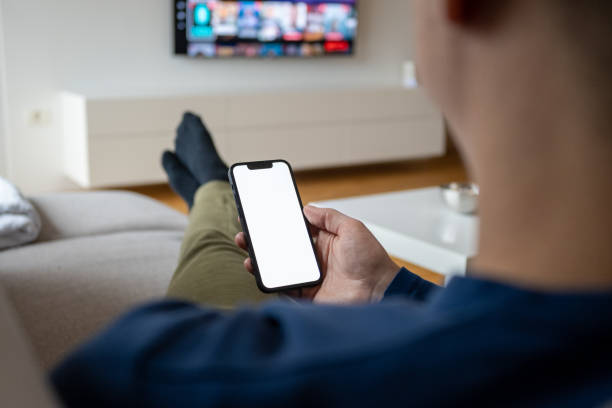
✨ Transforming Your Living Room Into an Entertainment Hub
The Amazon Fire TV application represents more than a simple remote replacement—it’s the cornerstone of modern connected entertainment. By consolidating control, simplifying navigation, and enhancing content discovery, this tool addresses the complexity that emerged as streaming fragmented across countless platforms.
Series enthusiasts particularly benefit from features designed around binge-watching behaviors—seamless episode progression, intuitive pause-and-resume functionality, and recommendations that keep you engaged with quality content. The application understands how people actually consume serialized entertainment in the streaming era.
As viewing habits continue evolving, applications that bridge devices and simplify access will only grow more essential. The Amazon Fire TV app positions itself at this intersection, adapting to how we want to watch rather than forcing outdated interaction models onto new technology.
Whether you’re discovering your next favorite series, managing multiple streaming subscriptions, or simply seeking a more convenient way to control your television, the Amazon Fire TV application delivers practical solutions. Its combination of sophisticated features and intuitive design makes premium entertainment genuinely accessible—transforming how you experience the golden age of television series.
