
Anúncios
Imagine transforming your daily routine with just your voice.


The Alexa assistant makes this possible, turning everyday tasks into simple voice commands that save time and bring convenience to your fingertips.
Anúncios
Voice control technology has evolved from science fiction into an accessible reality.
Amazon’s Alexa stands at the forefront of this revolution, offering a hands-free way to manage your schedule, control your home, and access information instantly.
Anúncios
Whether you’re cooking dinner, getting ready for work, or relaxing on the couch, Alexa responds to your commands without requiring you to touch a single button.

This seamless integration of artificial intelligence into daily life represents a significant leap toward smarter, more efficient living.
🎯 Getting Started with Your Voice-Powered Assistant
Setting up Alexa is remarkably straightforward. After downloading the app from the Play Store or App Store, you’ll create an Amazon account or log into your existing one. The application guides you through a simple setup process that connects your smartphone to Alexa’s cloud-based intelligence.
Once installed, the app becomes your control center for all Alexa-enabled devices. You can customize settings, add new skills, manage connected smart home devices, and review your interaction history. The intuitive interface ensures that even those new to voice assistants can navigate with ease.
The initial configuration takes just minutes. You’ll grant necessary permissions for microphone access, location services, and notifications. These permissions enable Alexa to provide personalized responses based on your preferences and location-specific information like weather forecasts and traffic updates.
📱 Mastering Voice Commands for Daily Tasks
The power of Alexa lies in its versatility. Simple phrases unlock a world of functionality. “Alexa, what’s the weather today?” gives you instant meteorological insights. “Alexa, set a timer for 15 minutes” helps you manage cooking or work sessions effortlessly.
Voice commands extend far beyond basic queries. You can ask Alexa to perform calculations, convert measurements, translate phrases into different languages, or spell difficult words. This makes the assistant invaluable for homework help, cooking conversions, or quick reference during conversations.
News updates become effortless with personalized briefings. Configure your preferred news sources in the app, then ask “Alexa, what’s my flash briefing?” to hear headlines from your favorite outlets. This transforms your morning routine, allowing you to stay informed while preparing breakfast or getting dressed.
🔊 Communication Features That Keep You Connected
Alexa transforms into a communication hub when properly configured. Make hands-free calls to friends and family who also have the Alexa app or Echo devices. Simply say “Alexa, call Mom” and your device initiates the connection instantly.
The Drop In feature allows approved contacts to connect with your devices for quick conversations. This proves especially useful for checking on elderly relatives or communicating between rooms in larger homes. Privacy controls ensure you maintain complete authority over who can access this feature.
Announcements broadcast messages to all Alexa devices in your household simultaneously. When dinner is ready or you’re leaving for an appointment, just say “Alexa, announce it’s time to eat” and everyone hears your message regardless of which room they’re in.
🏠 Creating a Smart Home Ecosystem
The true magic of Alexa emerges when you integrate smart home devices. Compatible products include lights, thermostats, locks, cameras, plugs, and entertainment systems. Once connected through the Alexa app, voice commands control your entire living space.
Smart lighting creates ambiance on demand. “Alexa, dim the living room lights to 30%” sets the perfect movie-watching atmosphere. “Alexa, turn on the bedroom lights” eliminates fumbling for switches when entering dark rooms. Color-changing bulbs respond to commands like “Alexa, make the lights blue.”
Temperature management becomes effortless with compatible thermostats. Before getting out of bed, say “Alexa, set the temperature to 72 degrees” and your home reaches comfortable conditions by the time you emerge from your morning routine. Energy savings accumulate as you adjust settings throughout the day without walking to the thermostat.
🔐 Security and Privacy in Your Connected Home
Smart locks integrated with Alexa provide peace of mind. Check lock status by asking “Alexa, is the front door locked?” Some models allow voice-activated locking, though unlocking typically requires additional verification for security purposes.
Security cameras compatible with Alexa offer voice-controlled monitoring. “Alexa, show me the front door camera” displays live feeds on Echo Show devices or through the app. Motion detection alerts arrive as notifications, keeping you informed about activity around your property.
Privacy controls within the Alexa app give you complete transparency. Review voice recordings, delete specific interactions or entire history, and manage which devices have access to your information. Microphone mute buttons on physical devices provide immediate privacy when needed.
⏰ Productivity Boosters for Busy Schedules
Reminders and alarms transform Alexa into your personal assistant. “Alexa, remind me to call the dentist tomorrow at 2 PM” creates location-based or time-based reminders that alert you across all connected devices. These reminders sync with your Amazon account, ensuring you never miss important tasks.
Shopping lists stay updated through voice commands. While cooking and realizing you’re out of milk, simply say “Alexa, add milk to my shopping list.” The list appears in your Alexa app, accessible when you’re at the store. Multiple lists can be created for different purposes—groceries, hardware store items, or gift ideas.
Calendar integration keeps your schedule organized. Link Google Calendar, Microsoft Outlook, or Apple Calendar to your Alexa account. Ask “Alexa, what’s on my calendar today?” to hear your appointments. Create new events by saying “Alexa, add a meeting with Sarah on Friday at 3 PM.”
🎵 Entertainment at Your Command
Music streaming services integrate seamlessly with Alexa. Connect Spotify, Amazon Music, Apple Music, or other supported platforms. “Alexa, play jazz music” starts your preferred service automatically. Create playlists, skip tracks, adjust volume, or ask about the currently playing song—all with voice commands.
Podcasts and audiobooks expand your entertainment options. “Alexa, play The Daily podcast” or “Alexa, read my Audible book” provides hands-free access to educational and entertaining content. Resume playback across devices, so you can start listening in the kitchen and continue in the car.
Multi-room audio brings music throughout your home. Group compatible speakers in the Alexa app, then say “Alexa, play music everywhere” to fill your space with synchronized sound. Individual volume control for each room ensures perfect audio balance.
🍳 Kitchen Assistance for Culinary Adventures
Cooking becomes more enjoyable with Alexa as your sous chef. Hands-free timers prevent burned meals—set multiple timers by naming them: “Alexa, set a pasta timer for 10 minutes” and “Alexa, set a sauce timer for 15 minutes.” Query any timer’s remaining time without interrupting your cooking flow.
Recipe searches provide step-by-step guidance. “Alexa, find me a chicken parmesan recipe” returns options from supported cooking skills. Once selected, Alexa reads ingredients and walks you through preparation, allowing you to focus on cooking rather than constantly checking your phone or cookbook.
Measurement conversions happen instantly. “Alexa, how many tablespoons are in a quarter cup?” or “Alexa, convert 350 degrees Fahrenheit to Celsius” eliminates the need to search online or consult conversion charts. This seamless assistance keeps your cooking momentum going.
🧘 Wellness and Relaxation Features
Guided meditation and breathing exercises help manage stress. Skills like Headspace integrate with Alexa, allowing you to say “Alexa, open Headspace” for meditation sessions. Sleep sounds and ambient noise create relaxing environments conducive to rest or concentration.
Fitness routines become more accessible through voice commands. “Alexa, start a 7-minute workout” guides you through exercises with timed intervals. Track workouts, set fitness goals, and receive motivational reminders that keep you committed to wellness objectives.
Sleep tracking and smart alarm features wake you optimally. Some Alexa-enabled devices monitor sleep patterns and gradually increase light or sound to wake you during lighter sleep phases. This gentle awakening proves more refreshing than jarring traditional alarms.
💡 Expanding Capabilities with Alexa Skills
The Skills library contains thousands of voice-activated applications. Browse categories in the Alexa app including games, education, productivity, and local services. Enable skills with a tap, then activate them by saying “Alexa, open [skill name].”
Educational skills transform learning into interactive experiences. Language learning programs, trivia games, and storytelling skills engage users of all ages. Children benefit from age-appropriate content that entertains while teaching valuable concepts.
Local business skills connect you with restaurants, transportation services, and retail stores. Order pizza, request a ride, or check store hours using voice commands. These integrations streamline daily errands and reduce time spent navigating multiple apps.
🚗 Voice Control Beyond Your Home
The Alexa app functions on your smartphone, bringing voice control wherever you go. Enable hands-free mode to use Alexa while driving without touching your phone. Get directions, make calls, send messages, or control smart home devices remotely—all while keeping your eyes on the road.
Car integration extends Alexa’s reach through compatible vehicles or aftermarket devices like Echo Auto. Mount the device on your dashboard, connect via Bluetooth, and access full Alexa functionality through your car’s speakers. This integration transforms commutes into productive or entertaining experiences.
Location-based reminders activate when you arrive or leave specific places. “Alexa, remind me to buy eggs when I’m near the grocery store” triggers notifications based on your smartphone’s GPS location. These contextual reminders ensure you never forget tasks tied to specific locations.
🔧 Troubleshooting Common Voice Recognition Issues
Voice recognition occasionally encounters challenges. Background noise, accents, or unclear pronunciation can affect accuracy. Speak naturally at a normal volume, ensuring you’re within reasonable range of the device. Rephrasing commands often resolves misunderstandings.
The Alexa app’s Voice Training feature improves recognition. Navigate to settings and complete the voice training module by reading provided phrases. This teaches Alexa to better understand your specific speech patterns, accent, and pronunciation preferences.
Device placement impacts performance significantly. Position Echo devices away from walls, speakers, or appliances that generate noise. Central locations in rooms provide optimal microphone access, ensuring Alexa hears you clearly from various positions.
🌐 Language and Regional Customization
Alexa supports multiple languages and regional variations. Configure your preferred language in the app settings. Bilingual homes can set up multiple profiles, each with different language preferences, ensuring all family members interact comfortably with the assistant.
Regional settings affect information like weather forecasts, news sources, and local search results. Verify your address is correctly configured in the app to receive accurate location-based responses. Update this information when traveling to access relevant local details.
Skills availability varies by region and language. The Skills store displays only compatible options for your configured settings. When traveling internationally, some features may become temporarily unavailable due to regional restrictions or language barriers.
👨👩👧👦 Family-Friendly Features and Parental Controls
Amazon Kids on Alexa provides age-appropriate content for children. Enable this feature to filter explicit content from music, set time limits, and review activity. Kids can still access homework help, educational games, and approved entertainment while parents maintain oversight.
Household profiles separate personal information and preferences. Each family member creates an individual profile, ensuring shopping lists, reminders, and calendars remain private. Voice recognition distinguishes between users, providing personalized responses automatically.
Explicit content filters block inappropriate music lyrics and information. Configure these settings in the Alexa app under household preferences. Additional restrictions prevent unauthorized purchases, ensuring children can’t accidentally order items through voice commands.
💰 Maximizing Value from Your Alexa Investment
Many Alexa features require no additional purchases beyond the app download. Basic voice commands, reminders, information queries, and communication functions work immediately. This makes Alexa accessible regardless of budget constraints.
Strategic smart home device purchases expand capabilities incrementally. Start with smart plugs—the most affordable option—to control lamps and small appliances. Gradually add lights, thermostats, or security devices as budget allows, building your smart home ecosystem over time.
Amazon Prime membership enhances the Alexa experience significantly. Prime members access Amazon Music, free audiobooks through Audible channels, and exclusive shopping features. The subscription proves worthwhile for frequent Amazon shoppers who want comprehensive voice assistant capabilities.
🔮 Future Developments in Voice Assistant Technology
Amazon continuously improves Alexa through software updates. New features, improved voice recognition, and expanded compatibility arrive regularly without requiring new hardware. Your assistant becomes more capable over time, adapting to emerging technologies and user feedback.
Artificial intelligence advancements make conversations more natural. Context awareness improves, allowing follow-up questions without repeating information. “What’s the weather?” followed by “How about tomorrow?” demonstrates this contextual understanding that makes interactions feel more human.
Integration with emerging technologies promises exciting possibilities. Voice assistants will likely interface with augmented reality, advanced home robotics, and health monitoring devices. The foundation you build today with Alexa positions you to adopt these innovations seamlessly as they become available.
🎓 Learning Resources for Power Users
Online communities provide valuable tips and troubleshooting help. Reddit forums, Facebook groups, and official Amazon support channels connect you with experienced users. These communities share creative uses, automation ideas, and solutions to common challenges.
YouTube tutorials demonstrate advanced features visually. Search for specific tasks or browse channels dedicated to smart home technology. Video guides often clarify complex setup processes more effectively than written instructions.
Amazon’s official Alexa blog announces new features and provides usage tips. Regular visits keep you informed about capabilities you might not discover through casual use. Newsletter subscriptions deliver these updates directly to your inbox.
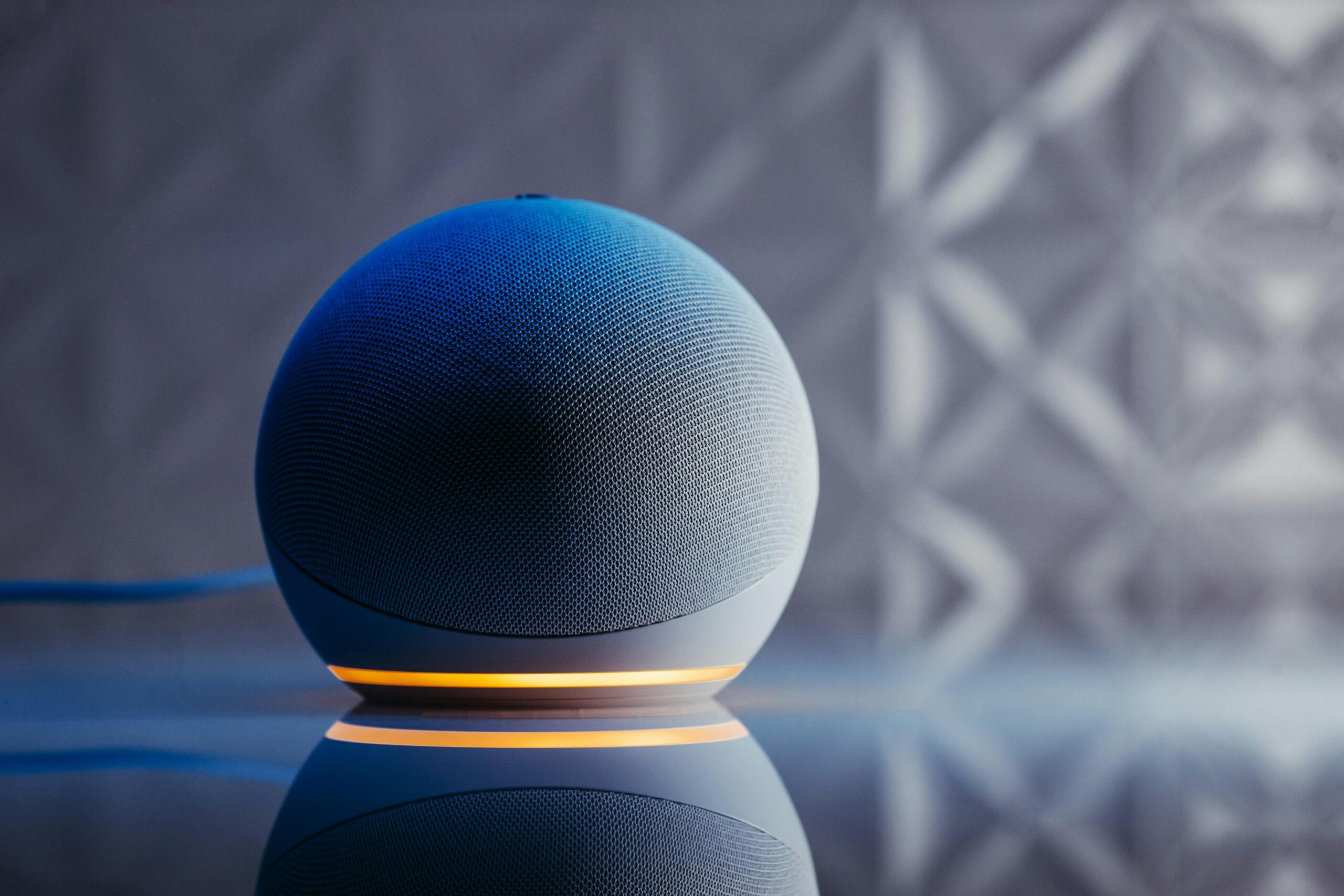
🌟 Transforming Daily Routines with Voice Automation
Routines combine multiple actions into single commands. Create a morning routine that, when you say “Alexa, good morning,” turns on lights, reads your calendar, provides weather updates, and starts your coffee maker. These customized sequences streamline repetitive tasks.
Evening routines prepare your home for rest. A single command locks doors, adjusts the thermostat, turns off unnecessary lights, and plays relaxing sounds. Building these routines through the Alexa app takes minutes but saves countless hours over time.
Location-based routines trigger automatically. When your smartphone indicates you’ve left home, Alexa can adjust the thermostat, turn off lights, and arm security systems. Arriving home triggers welcoming actions like turning on lights and playing your favorite music.
The journey with Alexa begins simply but grows into an integral part of daily life. What starts as curiosity about voice commands evolves into reliance on hands-free convenience. Each interaction teaches Alexa about your preferences, creating increasingly personalized experiences that anticipate your needs before you articulate them.
Voice control represents more than technological novelty—it’s a fundamental shift in how we interact with our environment. By eliminating physical interfaces, Alexa removes barriers between intention and action. This accessibility benefits everyone, from busy parents juggling multiple responsibilities to individuals with mobility challenges who find traditional controls difficult.
Your voice becomes the universal remote control for modern life. Whether managing household tasks, staying informed, controlling entertainment, or maintaining productivity, Alexa responds instantly to natural language. The future of smart living isn’t coming—it’s here, waiting for you to speak up and take control.
